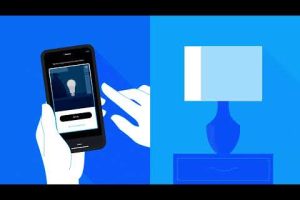
If you are upgrading your home lighting or building a smart home from the ground up, the E26 smart bulb is one of the most versatile and widely compatible choices you can make. Unlike niche connectors or proprietary designs, the E26 base is the standard Edison screw size found in the vast majority of American lamp sockets, ceiling fixtures, and table lamps. This means you can transform almost any ordinary light fixture into a connected, app-controlled, and voice-enabled lighting source without needing an adapter or an electrician. In this comprehensive guide, we will dive deep into everything you need to know about E26 smart bulbs, from core features and compatibility to expert buying tips and troubleshooting advice.
What Is an E26 Smart Bulb?
An E26 smart bulb is an LED light bulb that uses the standard medium-screw E26 base — the 26-millimeter diameter thread commonly found in household fixtures across North America. What sets it apart from a regular LED bulb is its built-in wireless connectivity, typically through Wi-Fi, Bluetooth, Zigbee, or Thread protocols, which allows you to control it remotely using a smartphone app, a smart speaker, or an automation platform like Amazon Alexa, Google Home, Apple HomeKit, or Samsung SmartThings.
These bulbs go far beyond simple on-and-off switching. Most E26 smart bulbs support color tuning, dimming, scene creation, scheduling, and energy monitoring, giving you granular control over your home’s atmosphere and electricity consumption. The E26 form factor specifically refers to the North American voltage standard of 120V, making it distinct from the E27 base used in European and international markets.
Why the E26 Base Matters for Smart Lighting
The E26 base is not just a random designation — it is deeply tied to the electrical infrastructure and fixture design of homes in the United States and Canada. Choosing the right base size ensures safety, proper electrical contact, and peak performance.
Here are the key reasons the E26 base is so important:
- Universal compatibility: The E26 base fits the overwhelming majority of standard household sockets, including those in table lamps, floor lamps, ceiling fans, chandeliers, and pendant lights.
- Safe voltage handling: E26 bulbs are designed for the 120V AC supply found in North American homes, reducing the risk of electrical mismatch.
- No adapters needed: You can replace an incandescent or standard LED bulb with an E26 smart bulb directly, saving both time and money.
- Wide product ecosystem: Nearly every major smart lighting brand — from Philips Hue and LIFX to Sengled, Wyze, and TP-Link Kasa — offers E26 variants specifically for this market.
Top Features to Look For in an E26 Smart Bulb

Not all E26 smart bulbs are created equal. Depending on your needs — whether you want ambient mood lighting, whole-home automation, or energy savings — certain features will matter more than others.
Dimming and Color Temperature Control
A high-quality E26 smart bulb should offer smooth dimming capabilities and adjustable color temperature ranges, typically spanning from warm white (around 2200K) to cool daylight (6500K). This allows you to shift from energizing cool tones for a home office to relaxing warm hues for evening relaxation. Look for bulbs that support tunable white or full RGB color depending on your preference.
Voice Assistant and Smart Home Integration
Seamless integration with Alexa, Google Assistant, and Siri is a non-negotiable for most smart home users. Beyond basic voice commands, the best E26 smart bulbs support routines, scenes, and third-party automation platforms such as IFTTT, Apple HomeKit, and Matter. Matter compatibility is an especially important emerging feature, as it ensures cross-platform interoperability regardless of which ecosystem you prefer.
Energy Efficiency and Lifespan
Smart bulbs should deliver genuine energy savings. Most E26 smart LEDs consume between 7 and 12 watts while producing light output equivalent to a 60-watt incandescent bulb. Premium models advertise lifespans of 15,000 to 25,000 hours, which translates to roughly 15 to 25 years of average household use.
Connectivity Protocol
The wireless protocol a smart bulb uses directly impacts performance, reliability, and scalability:
- Wi-Fi: Direct connection to your router; no hub required but can strain network bandwidth with many bulbs.
- Bluetooth: Short-range control; best for single-room setups.
- Zigbee: Requires a hub (such as the Philips Hue Bridge) but offers mesh networking for greater range and reliability.
- Thread: The newest low-power mesh protocol, increasingly supported in Matter-certified devices.
Best E26 Smart Bulbs Compared
Below is a comparison of some of the most popular E26 smart bulbs available in 2024, evaluated on key criteria that matter to smart home enthusiasts and casual users alike.
| Bulb | Connectivity | Color Options | Hub Required? | Voice Assistants | Approx. Price | |
| Philips Hue White and Color Ambiance | Zigbee | 16 million colors + tunable white | Yes (Hue Bridge) | Alexa, Google, Siri, HomeKit | $15–$20 | |
| Wyze Bulb Color | Wi-Fi | RGB + tunable white | No | Alexa, Google | $8–$12 | |
| LIFX A19 | Wi-Fi | 1600+ colors | No | Alexa, Google, Siri, HomeKit | $25–$35 | |
| TP-Link Kasa KL135 | Wi-Fi | Tunable white + color | No | Alexa, Google | $12–$18 | |
| Sengled Smart Bulb E26 | Zigbee | Tunable white | Yes (Sengled Hub) | Alexa, Google | $10–$15 |
Expert Tip: If you are building a large-scale smart lighting system, Zigbee and Thread-based bulbs with a dedicated hub tend to offer superior reliability and lower network congestion compared to Wi-Fi-only options. For a single room or casual setup, Wi-Fi bulbs from brands like Wyze or TP-Link Kasa provide excellent value without additional hardware.
How to Choose the Right E26 Smart Bulb for Your Home
Selecting the ideal E26 smart bulb depends on several factors, including your existing smart home ecosystem, the type of fixture you are using, and your desired level of control.
Match your ecosystem first. If you are deeply invested in Apple’s HomeKit ecosystem, prioritize bulbs with native HomeKit support like the Philips Hue or LIFX lines. For Alexa or Google-heavy households, Wi-Fi bulbs from Wyze or Kasa often deliver the simplest setup experience.
Consider the fixture type. Enclosed fixtures trap heat and can shorten the lifespan of any LED bulb, including smart ones. Look for E26 smart bulbs rated for enclosed fixtures if you plan to install them in pendant lights or recessed housings with limited ventilation. Similarly, for outdoor or damp locations, ensure the bulb carries the appropriate IP rating for moisture resistance.

Think about brightness. Bulbs are measured in lumens, not watts. For general room lighting, aim for 800 lumens (equivalent to a 60W incandescent). For task lighting such as reading lamps or kitchen counters, consider 1100 lumens or higher. Dimmable models give you the flexibility to adjust brightness to your exact preference.
Installation and Setup Tips
Setting up an E26 smart bulb is remarkably simple, but a few best practices will ensure a smooth experience:
- Turn off the power at the switch before screwing in the bulb to avoid electrical shock.
- Screw the bulb in firmly but gently — over-tightening can damage the socket or the bulb’s internal electronics.
- Restore power and wait for the bulb to blink, which typically indicates it is in pairing mode.
- Use the manufacturer’s app to guide you through the Wi-Fi or hub connection process step by step.
- Name each bulb descriptively (e.g., “Living Room Floor Lamp”) so voice commands and automation routines work reliably.
For advanced users, consider integrating E26 smart bulbs into automated schedules and geofencing routines that turn lights on and off based on your location, creating the illusion of occupancy when you are away from home for added security.
Common E26 Smart Bulb Problems and How to Fix Them
Even the best smart bulbs can encounter occasional issues. Here are some of the most common problems and their solutions:
- Bulb not responding to voice commands: Check that the bulb is still connected to the cloud service and that the voice assistant skill or integration is properly linked in the app.
- Flickering or intermittent connectivity: This is often caused by a weak Wi-Fi signal in the fixture’s location. Consider moving the bulb closer to your router or adding a Wi-Fi mesh extender.
- Bulb won’t dim below a certain level: Some LED smart bulbs are incompatible with traditional dimmer switches. Either replace the dimmer with a smart dimmer or use the app-based dimming feature instead.
- Slow response times: Zigbee and Wi-Fi bulbs can experience latency when the network is congested. A dedicated Zigbee hub or a separate smart home hub can alleviate this.
- Bulb won’t pair with a new hub or bridge: Perform a factory reset by cycling the power on and off rapidly (typically 3–5 times) and refer to the manufacturer’s reset instructions for your specific model.
The Future of E26 Smart Bulbs
The E26 smart bulb market is evolving rapidly, driven by the adoption of the Matter connectivity standard and the growing demand for human-centric lighting. Matter allows E26 smart bulbs from different brands to work together seamlessly through a single protocol, reducing fragmentation and simplifying the user experience. Meanwhile, advancements in LED technology are pushing color accuracy, brightness, and energy efficiency to new heights. Brands are also experimenting with built-in sensors for occupancy detection and ambient light measurement, turning each E26 smart bulb into a multi-functional smart home device.
For consumers, this means that investing in a quality E26 smart bulb today is a future-proof decision. You are not just buying a connected light — you are adopting a component that will continue to gain features, compatibility, and intelligence as the ecosystem matures.
Conclusion
The E26 smart bulb represents one of the easiest and most impactful upgrades you can make to any home. With its universal base size, rich feature set, and broad compatibility across smart home platforms, it is the perfect entry point for beginners and a powerful building block for advanced automation enthusiasts. By understanding the connectivity options, choosing the right features for your lifestyle, and following best practices for installation and troubleshooting, you can create a smarter, more efficient, and more atmospheric home lighting environment. Whether you are replacing a single bedside lamp or outfitting an entire house, the E26 smart bulb delivers exceptional value and convenience that pays for itself in energy savings and everyday comfort.
Frequently Asked Questions
Can I use an E26 smart bulb in an outdoor fixture?
Yes, but only if the bulb is rated for outdoor use and carries an appropriate IP rating for moisture and dust protection. Check the manufacturer’s specifications carefully, as not all E26 smart bulbs are designed to withstand rain, humidity, or temperature extremes.
What is the difference between E26 and E27 smart bulbs?
The E26 base has a 26-millimeter thread diameter and is the North American standard, designed for 120V circuits. The E27 base has a 27-millimeter diameter and is used in European and international markets with 220–240V supply. They are not interchangeable without an adapter.
Do E26 smart bulbs work without Wi-Fi?
Many E26 smart bulbs retain basic on-and-off functionality during a Wi-Fi outage. Bluetooth-enabled models can still be controlled locally within range. Zigbee and Thread-based bulbs connected to a hub will continue working through the hub’s local network even if your internet goes down.
Are E26 smart bulbs compatible with dimmer switches?
It depends on the bulb and the dimmer type. Smart bulbs with built-in dimming control via the app work best with standard on-off switches. Using a traditional dimmer switch with a smart bulb can sometimes cause flickering or damage. For the smoothest experience, replace traditional dimmers with smart dimmer switches or rely entirely on app-based or voice-controlled dimming.
What is the average lifespan of an E26 smart bulb?
Most E26 smart LED bulbs last between 15,000 and 25,000 hours of typical use, which translates to approximately 15 to 25 years based on average daily usage of 3 to 4 hours. Factors such as heat exposure, frequent on-off cycling, and voltage fluctuations can affect actual lifespan.
Can I connect an E26 smart bulb to Apple HomeKit?
Yes, several E26 smart bulbs support native Apple HomeKit integration, including models from Philips Hue, LIFX, and select Wyze and TP-Link Kasa products. Look for the “Works with Apple HomeKit” badge on the packaging or in the product specifications to confirm compatibility.