When you sit down at your desk for hours every day, the light your computer emits might be the last thing on your mind. But computer light — the visible and invisible spectrum radiating from your monitor, keyboard, and peripheral devices — plays a massive role in your comfort, productivity, eye health, and even sleep quality. Whether you are a casual browser, a graphic designer staring at color-calibrated displays for twelve hours straight, or a programmer working late into the night, understanding what kind of light your screen produces and how it interacts with your body is absolutely essential. This guide dives deep into every dimension of computer light, from the technology behind your monitor’s backlight to practical strategies for protecting your vision and optimizing your workspace lighting.
What Is Computer Light and Why Should You Care?
Computer light refers to all visible and near-visible light emitted by your computing devices, including desktop monitors, laptop screens, tablets, and even LED status indicators on peripherals. The most significant component of this light is the blue light spectrum, which falls within the 380 to 500 nanometer wavelength range. Monitors use different backlight technologies to produce images, and each one generates a unique light signature that affects how your eyes perceive contrast, color accuracy, and brightness. The reason this matters so much is that prolonged exposure to artificial computer light — especially in poorly lit environments — creates a condition collectively known as digital eye strain or computer vision syndrome.
Unlike natural sunlight, which contains a balanced spectrum of wavelengths, computer light is heavily skewed toward high-energy visible light. This imbalance is what triggers symptoms like dryness, blurred vision, headaches, and disrupted circadian rhythms. Understanding the source and nature of your screen’s glow is the first step toward mitigating these effects.
Types of Computer Light Sources
Not all computer light is created equal. The technology behind your display determines the intensity, color temperature, and spectral distribution of the light hitting your retinas. Here are the primary sources of light you encounter every time you boot up your system.
Monitor Backlight Technologies
The backlight is the engine behind every LCD and LED monitor. It is the layer that produces the light passing through liquid crystal panels to create the images you see on screen.
- CCFL (Cold Cathode Fluorescent Lamp): Older technology found in legacy monitors. Produces a broader, warmer spectrum of light but is less energy-efficient and bulkier.
- Edge-lit LED: The most common backlight in modern monitors. LEDs are placed along the edges of the panel, offering thinner designs and better energy efficiency. However, they can produce uneven brightness and a cooler color temperature.
- Direct-lit LED: LEDs are distributed directly behind the panel, resulting in more uniform illumination and better local dimming capabilities.
- Mini-LED and Micro-LED: Cutting-edge technologies that pack thousands of tiny LEDs into the backlight layer, enabling precise local dimming zones and dramatically improved contrast ratios.
- OLED (Organic Light-Emitting Diode): Each pixel produces its own light, eliminating the need for a separate backlight entirely. This results in perfect blacks and an incredibly wide color gamut with minimal blue light bleed.
RGB and Ambient Computer Lighting

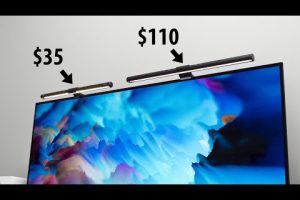
Beyond the monitor itself, many users install RGB lighting systems — strips, pods, or fans — around their desks and rigs. These lights serve aesthetic and functional purposes. Ambient computer light can reduce the harsh contrast between a bright screen and a dark room, which is one of the biggest contributors to eye fatigue. When calibrated correctly, bias lighting — a soft, neutral white light placed behind the monitor — can actually reduce perceived eye strain and improve color perception.
How Computer Light Affects Your Eyes and Overall Health
The impact of computer light extends far beyond temporary discomfort. Research has consistently linked excessive blue light exposure from screens to a range of physical and neurological effects.
Blue Light Exposure and Sleep Disruption
Blue light from computer screens suppresses the production of melatonin, the hormone responsible for regulating your sleep-wake cycle. When you stare at a bright monitor late at night, your brain interprets the light as daylight, delaying the onset of sleep and reducing sleep quality. This is why many operating systems now include built-in night mode or blue light filter features that shift the display toward warmer tones after sunset.
Digital Eye Strain Symptoms
Prolonged exposure to computer light triggers a cluster of symptoms collectively referred to as Computer Vision Syndrome (CVS). These include:
- Dry, irritated, or watering eyes
- Blurred or double vision after extended screen time
- Persistent headaches originating from the temples or behind the eyes
- Neck and shoulder tension caused by squinting or leaning toward the screen
- Difficulty focusing on distant objects after long sessions
The American Optometric Association estimates that between 50% and 90% of people who work at computers experience at least some symptoms of digital eye strain. The root cause is not just the brightness of the light itself, but also the way we interact with screens — reduced blink rate, fixed focal distance, and poor ambient lighting all compound the problem.
Comparison: Common Monitor Light Technologies
Choosing the right monitor means understanding how different light technologies compare across key metrics that affect both visual performance and long-term eye health.
| Technology | Blue Light Output | Color Accuracy | Contrast Ratio | Eye Comfort | Price Range |
| Edge-lit LED | High | Good | Moderate | Moderate | Budget-friendly |
| Direct-lit LED | Moderate | Very Good | Good | Good | Mid-range |
| Mini-LED | Moderate to Low (with filters) | Excellent | Excellent | Very Good | Premium |
| OLED | Low (per-pixel emission) | Outstanding | Perfect (infinite) | Excellent | High |
| CCFL (Legacy) | Moderate | Average | Poor | Below Average | Discontinued |
As the table shows, OLED and Mini-LED displays offer the best balance of visual quality and reduced blue light impact, though they come at a premium price point. For everyday use, a direct-lit LED monitor with a built-in blue light filter provides an excellent middle ground between cost and comfort.
Expert Tips for Managing and Reducing Harmful Computer Light

You do not need expensive equipment to protect yourself from the negative effects of computer light. Here are actionable, expert-backed strategies you can implement today.
1. Enable Built-in Blue Light Filters
Both Windows (Night Light) and macOS (Night Shift) include native tools that warm your screen’s color temperature during evening hours. Enabling these features reduces blue light exposure by 20% to 40%, depending on the intensity setting. Schedule them to activate automatically at sunset for the best results.
2. Use the 20-20-20 Rule
Every 20 minutes, look at something at least 20 feet away for at least 20 seconds. This simple habit resets your eye’s focusing muscles and encourages blinking, which keeps your eyes lubricated and reduces dryness caused by prolonged computer light exposure.
3. Optimize Your Room Lighting
Never work in a pitch-dark room with a bright screen, and never face a monitor in a room with harsh overhead fluorescent lighting. The ideal setup uses indirect ambient lighting — a desk lamp bouncing light off a wall or ceiling — to reduce the contrast ratio between your screen and the surrounding environment. Bias lighting strips placed behind the monitor are a popular and effective solution among professionals.
4. Adjust Brightness and Contrast Manually
Auto-brightness features on modern monitors are convenient but not always accurate. Manually set your screen brightness to match the ambient light level in your room — the white background of a document should feel approximately the same brightness as a white sheet of paper sitting next to your monitor.
5. Invest in Blue Light Glasses
Anti-reflective lenses with blue light filtering coatings can reduce the amount of high-energy visible light reaching your eyes by up to 50%. While they are not a substitute for proper screen settings and room lighting, they add a valuable layer of protection for people who spend eight or more hours daily in front of displays.
Frequently Asked Questions About Computer Light
Is computer light the same as blue light?
Computer light encompasses the full visible spectrum emitted by screens, but blue light — specifically wavelengths between 380 and 500 nanometers — is the most discussed component because of its high energy and documented effects on melatonin suppression and retinal fatigue. Not all computer light is blue light, but blue light makes up a significant portion of the spectrum produced by LED-backlit displays.
Can computer light cause permanent eye damage?
Current scientific evidence does not support the claim that normal screen use causes permanent retinal damage from computer light. However, chronic exposure without breaks or protective measures can lead to persistent digital eye strain, sleep disorders, and accelerated onset of age-related macular degeneration risk factors. Prevention through proper habits is far more effective than treatment after damage occurs.
What is the best monitor color temperature for reducing eye strain?
Most eye care professionals recommend setting your monitor’s color temperature to around 6,500K during daytime hours and reducing it to 3,400K to 4,500K in the evening. Warmer tones contain less blue light and are significantly easier on the eyes during extended use, especially in dimly lit environments.
Do OLED monitors emit less harmful computer light than LCDs?
Yes, generally speaking. OLED monitors produce light on a per-pixel basis rather than through a uniform backlight, which means they emit less overall blue light and offer superior contrast. The absence of a constant backlight also means lower average luminance output, which contributes to reduced eye fatigue during long work sessions.
How can I measure the blue light output of my computer screen?
Specialized devices called spectrophotometers or blue light meters can measure the spectral output of your monitor. For a simpler approach, many smartphone apps claim to estimate blue light levels, though they are not as precise as dedicated hardware. Checking your monitor’s specifications for its color gamut and color temperature settings can also give you a reasonable estimate of blue light intensity.
Does dimming my screen reduce blue light exposure?
Dimming reduces overall light intensity, including blue light, but it does not change the spectral composition of the light. The most effective approach is to combine dimming with a warm color temperature shift or a dedicated blue light filter, rather than relying on brightness reduction alone.
Final Thoughts
Computer light is not inherently harmful — it is the intensity, duration, and spectrum of exposure that determines the impact on your health and well-being. By understanding the technology behind your display, optimizing your workspace lighting, and adopting protective habits like the 20-20-20 rule and built-in blue light filters, you can enjoy the full benefits of your computing experience without sacrificing your long-term eye health. The difference between a comfortable, productive workspace and a fatiguing one often comes down to how thoughtfully you manage the light coming from your screen. Take control of your computer light environment today, and your eyes — and your sleep — will thank you for years to come.