


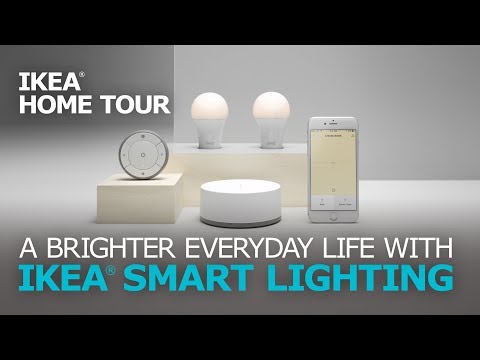
Automated lighting has transformed the way homeowners, businesses, and even municipalities manage illumination. What was once a niche technology reserved for early adopters has now become a cornerstone of modern smart living and commercial building design. Whether you are looking to reduce energy consumption, enhance security, or simply create the perfect ambiance at the touch of a button, understanding automated lighting systems is essential in today’s connected world. This comprehensive guide dives deep into how these systems work, the technologies driving them, and how you can implement them effectively in your own space.
What Is Automated Lighting?
Automated lighting refers to the use of technology to control lighting fixtures without requiring manual intervention. Instead of flipping a switch, users rely on sensors, schedules, smart hubs, and app-based interfaces to manage when, where, and how lights turn on and off. The concept extends far beyond simple remote control. True automated lighting systems integrate with broader smart home ecosystems, respond to environmental triggers, and adapt to user behavior over time.
At its core, automated lighting combines hardware such as smart bulbs, dimmers, and relays with software platforms that orchestrate lighting behavior. These systems leverage protocols like Zigbee, Z-Wave, Wi-Fi, and Bluetooth Mesh to communicate between devices. The result is a lighting environment that feels intuitive, responsive, and remarkably efficient. Whether you are automating a single room or an entire commercial building, the underlying principles remain the same: intelligent control replaces manual operation.
How Automated Lighting Systems Work
Understanding the mechanics behind automated lighting helps you make smarter purchasing decisions. A typical system consists of several interconnected layers, each playing a specific role in delivering seamless illumination control.
Core Components of a Smart Lighting Setup
Every automated lighting ecosystem relies on a few fundamental building blocks:
- Smart Bulbs and Fixtures: These are LED-based light sources with embedded wireless receivers. They can adjust color temperature, brightness, and even change hues based on programmed commands.
- Control Hubs or Bridges: Devices like the Philips Hue Bridge or Samsung SmartThings Hub act as central coordinators, translating commands between your network and the lighting devices.
- Sensors: Motion sensors, ambient light sensors, and occupancy detectors trigger lighting changes automatically based on real-time environmental data.
- Software Platforms and Apps: These provide the user interface for creating scenes, schedules, and automation rules that govern how your lights behave.
- Voice Assistants: Integration with Amazon Alexa, Google Assistant, or Apple Siri allows hands-free control and adds another layer of automation capability.
Key Benefits of Automated Lighting
The advantages of adopting automated lighting go well beyond convenience. Homeowners and facility managers alike are discovering tangible returns on their investment through energy savings, enhanced security, and improved quality of life.
- Energy Efficiency and Cost Savings: Automated systems ensure lights are only on when needed. Scheduling, occupancy detection, and daylight harvesting can reduce lighting energy consumption by 30 to 60 percent, translating directly into lower utility bills.
- Increased Property Security: Setting lights to activate at randomized intervals when you are away from home deters potential intruders. Integrated security systems can also trigger lighting as part of an alarm response.
- Improved Comfort and Well-Being: Circadian rhythm lighting adjusts color temperature throughout the day, supporting better sleep patterns and daytime alertness. This is especially valuable in home offices and healthcare facilities.
- Scalability and Flexibility: Whether you start with a single smart bulb or deploy hundreds of fixtures across a commercial property, automated lighting systems scale effortlessly. Adding new devices typically requires minimal configuration.
- Accessibility and Convenience: For individuals with mobility challenges, automated lighting removes the need to physically reach switches, promoting independence and safety.
Types of Automated Lighting Technologies
Not all automated lighting solutions are created equal. Different technologies serve different use cases, and choosing the right protocol or platform can make or break your experience.

Comparing Lighting Protocols and Standards
Before investing in a system, it helps to understand the communication standards that power automated lighting networks. Each protocol has distinct strengths in terms of range, power consumption, device capacity, and ecosystem compatibility.
| Protocol | Range | Power Use | Best For | Ecosystem |
| Zigbee | 10-20 meters per node | Very Low | Large smart home networks | Philips Hue, IKEA TRÅDFRI, SmartThings |
| Z-Wave | 30 meters per hop | Low | Reliable home automation | Hubitat, Home Assistant |
| Wi-Fi | Depends on router | Moderate | Simple setups, few devices | Google Home, Alexa native |
| Bluetooth Mesh | 10-30 meters | Low | Commercial and industrial | Signify, LIFX |
| Thread | 10-15 meters per node | Very Low | Future-proof, IP-based | Apple HomeKit, Google |
For most residential users, Zigbee and Thread-based systems offer the best balance of reliability, range, and low power consumption. Wi-Fi-connected bulbs are convenient for simple setups but can strain your home network if you exceed a dozen or more devices. Z-Wave remains a solid choice for those prioritizing interference-free communication in dense RF environments.
Best Automated Lighting Setups for Every Room
Implementing automated lighting effectively means tailoring your approach to the unique demands of each space in your home or building.
Living Rooms: Use layered lighting with smart bulbs in overhead fixtures, smart plugs for lamps, and LED strip lights behind entertainment centers. Create scenes like “Movie Night,” “Reading,” and “Party” that adjust brightness and color temperature with a single command. Motion sensors near entry points ensure lights greet you when you walk in.
Kitchens: Under-cabinet smart lighting paired with task-focused fixtures makes food preparation safer and more efficient. Daylight harvesting sensors can dim overhead lights when natural sunlight is sufficient, reducing glare and energy waste.
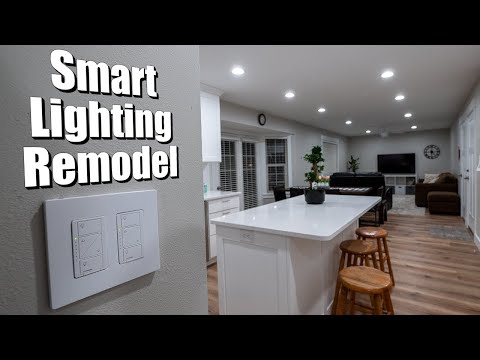
Bedrooms: Circadian lighting schedules that gradually shift from cool white in the morning to warm amber in the evening support healthy sleep cycles. Integrating lights with motorized blinds creates a complete wake-up and wind-down routine.
Outdoor Spaces: Smart floodlights with motion detection, pathway lights on schedules, and color-changing landscape fixtures dramatically improve curb appeal and security. Weather-resistant fixtures rated for IP65 or higher are essential for durability.
Expert Tips for Maximizing Your Automated Lighting System
Even the best automated lighting setup can underperform without thoughtful configuration. Here are expert recommendations drawn from years of real-world smart home deployment:
- Start with a Hub: A centralized hub gives you far more control and reliability than relying solely on cloud-dependent apps. Local processing means automations continue even during internet outages.
- Use Scheduling Over Constant Automation: While motion sensors are useful, scheduling lights based on your daily routine prevents false triggers and conserves energy more predictably.
- Group Devices by Room and Function: Organizing lights into logical groups within your control app simplifies scene creation and reduces configuration complexity.
- Choose Color-Tunable Fixtures: Fixed-color smart bulbs limit your options. Tunable white and full-color fixtures let you adapt lighting to any mood, activity, or time of day.
- Consider Professional-Grade Systems for Larger Properties: If you are managing a multi-room home or commercial space, platforms like Lutron Homeworks or Control4 offer enterprise-grade reliability and advanced programming capabilities that consumer-grade systems cannot match.
- Regularly Update Firmware: Keeping your devices and hub firmware up to date ensures security patches, new features, and improved compatibility with evolving ecosystems.
Frequently Asked Questions

What is the difference between smart lighting and automated lighting?
Smart lighting generally refers to any lighting that can be controlled remotely through an app or voice command. Automated lighting takes this a step further by incorporating schedules, sensors, triggers, and conditional logic that operate without ongoing human input. Think of smart lighting as the tools, and automated lighting as the system that uses those tools intelligently.
Can I automate lighting without a smart home hub?
Yes, many Wi-Fi-enabled smart bulbs and plugs work independently through their companion apps. However, a hub unlocks advanced automation features, local processing, broader device compatibility, and more robust reliability. For anything beyond a few bulbs, a hub is strongly recommended.
Is automated lighting difficult to install for beginners?
Not at all. Most modern automated lighting products are designed for plug-and-play installation. Replace a standard bulb with a smart bulb, download the manufacturer’s app, and follow the on-screen pairing instructions. More advanced setups involving hardwired fixtures, relays, or multi-room configurations may require a bit more technical confidence, but countless online tutorials and community forums make the process accessible to novices.
Do automated lighting systems work during a power outage?
Battery-powered sensors and hubs with backup power can maintain basic automation functionality during outages. However, most smart lighting fixtures require mains power to operate. Investing in a small uninterruptible power supply for your hub ensures that critical automations like security lighting remain active during brief outages.
What are the ongoing costs of running an automated lighting system?
Beyond the initial hardware investment, ongoing costs are minimal. Smart bulbs consume less energy than traditional incandescent or halogen alternatives. Hub devices use negligible electricity. The primary ongoing consideration is a stable internet connection, though local hub processing can minimize dependence on cloud services. Over time, the energy savings from automated scheduling and occupancy-based control typically offset the cost of the system entirely.
Which automated lighting brand offers the best ecosystem?
The best brand depends on your existing ecosystem and needs. Philips Hue leads in color quality and third-party integrations. LIFX offers bright, hub-free Wi-Fi bulbs with rich color options. IKEA TRÅDFRI provides the best value for budget-conscious users. Lutron excels at premium, hardwired lighting control for larger installations. Choosing a system that aligns with your preferred voice assistant and smart home platform ensures the smoothest long-term experience.
Final Thoughts
Automated lighting represents one of the most impactful and accessible entry points into the broader smart home ecosystem. The technology has matured to the point where even beginners can achieve impressive results with minimal investment, while advanced users can build sophisticated, whole-property lighting networks that deliver real energy savings and unmatched convenience. By understanding the protocols, components, and strategies outlined in this guide, you are well-equipped to design an automated lighting system that fits your exact needs and budget. Start small, iterate thoughtfully, and let the technology work for you around the clock.