


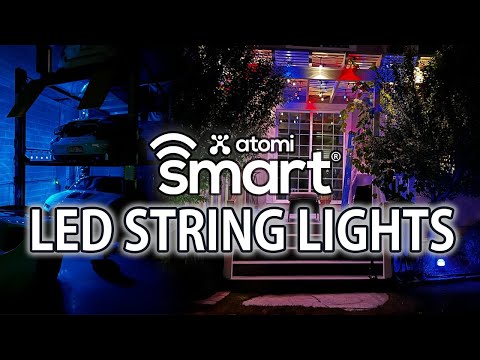
When you are building a connected home, the lighting choices you make set the foundation for everything else. Atomi smart lights have emerged as a compelling option for homeowners, renters, and smart home enthusiasts who want reliable, feature-rich illumination without the steep price tag or complicated setup. Whether you are upgrading a single room or wiring an entire property with intelligent lighting, understanding what atomi smart lights bring to the table — and how they stack up against alternatives like Philips Hue, LIFX, and Govee — can save you time, money, and frustration.
This guide dives deep into the atomi smart lighting ecosystem. From product lines and compatibility to real-world performance and integration with platforms like Alexa, Google Home, and Apple HomeKit, we cover everything you need to make an informed decision.
What Are Atomi Smart Lights?
Atomi is a smart home technology brand specializing in Wi-Fi and Bluetooth-enabled lighting solutions. Their product lineup spans smart bulbs, smart LED strips, smart floodlights, and smart vanity lights. Unlike some brands that require proprietary hubs, many atomi smart lights connect directly to your home wireless network, making them accessible through a dedicated mobile app or voice assistants.
What distinguishes atomi from the crowded smart lighting market is its balance of affordability and functionality. The bulbs support color temperature adjustment, RGB color changing, scheduling, scenes, and group controls — features typically found in more expensive ecosystems. The company targets users who want genuine smart home capabilities without the steep learning curve.
Key Product Lines in the Atomi Smart Lights Range
Atomi Smart Bulbs
The core of the atomi lineup, these bulbs come in A19, BR30, and G25 form factors. They support Wi-Fi connectivity (no hub required), offer 16 million colors, and allow adjustable white temperatures from warm amber to cool daylight. Each bulb typically delivers between 800 and 1100 lumens, depending on the model.
Atomi Smart LED Strips
Designed for ambient and accent lighting, atomi LED strips are cuttable and dimmable. They feature adhesive backing for easy installation behind monitors, under cabinets, or along crown molding. The strips sync with the main atomi app and support dynamic lighting effects and music-reactive modes.
Atomi Smart Floodlights and Outdoor Lights
For exterior use, atomi offers weather-resistant floodlights with motion detection and customizable sensitivity thresholds. These are ideal for driveways, porches, and backyard security setups.
Features and Specifications That Matter
When evaluating atomi smart lights, the technical details tell the real story. Here is a breakdown of the most important specifications:
- Connectivity: Dual-band Wi-Fi (2.4GHz and 5GHz) on select models, Bluetooth on others
- Color Range: 16 million RGB colors plus adjustable white temperatures (2700K–6500K)
- Dimmability: Smooth dimming from 1% to 100% without flickering
- Voice Control: Compatible with Amazon Alexa, Google Assistant, and Siri (via HomeKit on supported models)
- Scheduling: Automated on/off schedules, sunrise/sunset routines, and countdown timers
- Scenes and Groups: Create custom lighting scenes and group multiple lights for synchronized control
- Energy Efficiency: LED technology consumes approximately 75% less energy than traditional incandescent bulbs
| Feature | Atomi Smart Bulb A19 | Atomi Smart Bulb BR30 | Atomi Smart Strip |
| Connectivity | Wi-Fi + Bluetooth | Wi-Fi + Bluetooth | Wi-Fi |
| Lumens | 800 | 1100 | Varies by length |
| Color Temperature Range | 2700K–6500K | 2700K–6500K | 2700K–6500K |
| Colors | 16 million RGB | 16 million RGB | 16 million RGB |
| Voice Assistants | Alexa, Google | Alexa, Google | Alexa, Google |
| Hub Required | No | No | No |
| Warranty | 2 years | 2 years | 1 year |
Compatibility and Integration
One of the strongest selling points of atomi smart lights is their broad compatibility. The atomi app works on both iOS and Android devices and supports firmware over-the-air updates. More importantly, atomi integrates with the major smart home ecosystems without requiring extra hardware in most cases.
Voice Assistant Support
Setting up atomi smart lights with Amazon Alexa is straightforward. You simply enable the atomi skill in the Alexa app, link your account, and discover devices. The same applies to Google Home. For Apple HomeKit users, compatibility varies by model, so always check the product listing before purchasing.
Third-Party Integrations
Atomi lights also integrate with automation platforms like IFTTT (If This Then That) and select SmartThings configurations, enabling complex routines such as turning on lights when you arrive home or syncing color changes with weather data.
Installation and Setup Process
Installing atomi smart lights is designed to be as simple as possible. For bulbs, you screw them into standard E26 or E27 sockets, download the atomi app, create an account, and follow the in-app pairing wizard. The app scans for nearby devices and walks you through connecting to your Wi-Fi network step by step.
- Screw in the atomi smart bulb and turn the light switch on.
- Download the atomi app from the App Store or Google Play Store.
- Create an account or sign in.
- Tap “Add Device” and the app will search for the bulb.
- Follow the prompts to connect the bulb to your home Wi-Fi network.
- Assign a name and room for easy voice control and organization.
For LED strips, the process involves cleaning the surface, peeling off the adhesive backing, and pressing the strip into place. Power the strip through the included adapter and pair it in the app. Many users report completing the entire setup for a single room in under ten minutes.
Atomi Smart Lights vs. Competitors
The smart lighting market is crowded, so where does atomi stand? Here is a candid comparison with two popular alternatives.
| Category | Atomi Smart Lights | Philips Hue | Govee |
| Hub Required | No | Yes (for most features) | No |
| Price per Bulb | $8–$15 | $15–$50 | $6–$15 |
| Color Accuracy | Very good | Excellent | Good |
| Ecosystem Depth | Solid | Best-in-class | Good |
| Wi-Fi Direct | Yes | No (requires bridge) | Yes |
| Music Sync | Limited | No | Yes |
| Build Quality | Excellent | Excellent | Good |
Atomi sits in a sweet spot between the premium Philips Hue ecosystem and the budget-friendly Govee range. You get Wi-Fi direct connectivity, solid color rendering, and a clean app experience without paying for a hub that adds another point of failure to your setup.
Expert Tips for Getting the Most Out of Atomi Smart Lights
- Use a dual-band router: Atomi smart lights perform best on a stable 2.4GHz network. If your router combines bands, ensure your bulbs are connecting to the correct frequency to avoid dropouts.
- Group lights by room: Naming bulbs logically in the atomi app makes voice commands far more reliable. Say “Turn off the living room lights” instead of individual bulb names.
- Leverage scheduling over manual control: Automating sunrise and sunset routines not only adds convenience but also supports healthier circadian rhythms.
- Update firmware regularly: Atomi occasionally releases app updates and bulb firmware patches that improve stability and add new features.
- Pair with smart plugs for non-dimmable switches: If your room has a physical switch that gets turned off, placing a smart plug in line ensures the atomi bulb stays powered and responsive.
Common Troubleshooting and Limitations

No smart lighting product is perfect, and atomi is no exception. Here are issues users occasionally encounter and how to address them.
Connectivity drops: If an atomi smart light goes offline, the first step is to check your Wi-Fi signal strength at the bulb’s location. Wi-Fi extenders or mesh systems often resolve this. Restarting the bulb by turning the light switch off and on can also re-establish the connection.
Delayed voice responses: Voice commands sometimes experience a slight delay because atomi lights communicate directly over Wi-Fi rather than through a local hub. Keeping your router close to the lighting devices reduces latency.
Limited music sync: Compared to brands like Govee that have built dedicated music-reactive features, atomi’s entertainment modes are more basic. Users seeking dynamic party lighting may find this aspect underwhelming.
Final Verdict: Are Atomi Smart Lights Worth It?
If you are looking for a no-hub smart lighting solution that delivers solid color quality, reliable Wi-Fi connectivity, and seamless voice assistant integration, atomi smart lights are an excellent choice. They are particularly well-suited for apartments, condos, and rental properties where installing a hub is impractical or undesirable.
For users who prioritize the absolute deepest ecosystem with thousands of third-party integrations and the most refined color accuracy, Philips Hue remains the gold standard — but at a significantly higher price. For casual users or those just entering the smart home space, atomi offers an ideal entry point that does not compromise on the features that matter most.
Frequently Asked Questions
Can I use atomi smart lights without a Wi-Fi connection? Most atomi smart lights require Wi-Fi for initial setup and full functionality. Some models support Bluetooth-only control for basic on/off and dimming when Wi-Fi is unavailable, but advanced features like scheduling and remote access will not work without an internet connection.
Do atomi smart lights work with Apple HomeKit? Compatibility varies by product. Newer atomi models have added HomeKit support, but not every bulb or strip in their range is certified for Apple HomeKit. Always verify the product specifications before purchasing if HomeKit integration is essential to your setup.
How many atomi smart lights can I connect to one network? The atomi app supports connecting dozens of devices to a single account and network. For optimal performance with a very large number of bulbs, consider segmenting your lighting across different Wi-Fi bands or using a mesh network to maintain stable connections.
Are atomi smart bulbs compatible with standard light fixtures? Yes. Atomi smart bulbs use standard E26 (North America) and E27 (international) screw-in bases, making them compatible with the vast majority of household lamp sockets, ceiling fixtures, and floor lamps.
What is the lifespan of atomi smart LED bulbs? Atomi LED bulbs are rated for approximately 15,000 to 25,000 hours of use, which translates to roughly 10–15 years of typical household operation. The smart electronics may degrade slightly before the LED reaches its end of life, but overall longevity is strong.
Can I control atomi smart lights when I am away from home? Yes, as long as your atomi smart bulbs are connected to your home Wi-Fi network and you have internet access on your mobile device, you can control, schedule, and monitor your lights remotely through the atomi app from anywhere in the world.