


Smart home technology has transformed how we interact with our living spaces, and few combinations are as popular or practical as pairing Alexa with smart lights. Whether you are looking to automate your morning routine, create the perfect ambiance for movie night, or simply walk into a room and flip the lights on without lifting a finger, Alexa-compatible smart lighting solutions deliver an unmatched level of convenience. This guide covers everything from beginner setup steps to advanced automation strategies, helping you make the most of your connected lighting ecosystem.
What Are Alexa and Smart Lights, and How Do They Work Together?
Amazon Alexa is Amazon’s cloud-based voice assistant, powered by natural language processing, that responds to wake words like “Alexa,” “Echo,” or “Computer.” Smart lights are Wi-Fi or Zigbee-connected bulbs, strips, and fixtures that can be controlled remotely through a smartphone app or voice command. When you link a smart light brand to the Alexa app, Alexa becomes the remote control for your entire lighting setup.
The underlying technology relies on a cloud-to-cloud integration. Alexa sends a command to the smart light manufacturer’s cloud server, which then relays the instruction to your bulb. This happens in milliseconds, giving you near-instant control over brightness, color temperature, and color. Alexa routines, smart home skills, and voice-controlled lighting groups are the pillars that make this ecosystem so powerful.
Why Voice-Controlled Lighting Is More Than a Gimmick
Voice control eliminates the need to physically interact with a switch or app. For people with mobility challenges, this is genuinely life-changing. But even for able-bodied users, the benefit is real. Hands-free lighting control means you can adjust your bedroom lights while holding a book, change the kitchen ambiance while cooking, or set the perfect reading light without ever leaving your couch. Alexa-enabled smart bulbs also integrate with other smart devices, creating a cohesive home automation experience.
How to Set Up Alexa with Smart Lights: A Step-by-Step Walkthrough
Setting up Alexa with smart lights is straightforward, even if you are a complete beginner. Here is the process broken down into manageable steps:

- Choose your smart lights. Pick bulbs or fixtures that are Alexa-compatible. Major brands include Philips Hue, LIFX, Wyze Bulb, TP-Link Kasa, Sengled, and IKEA TRÅDFRI.
- Install the bulbs. Screw in the smart bulb, turn on the light switch, and wait for the bulb to power up.
- Download the manufacturer’s app. For Philips Hue, download the Hue app; for Wyze, use the Wyze app. Follow the in-app pairing instructions to connect the bulb to your Wi-Fi network.
- Enable the Alexa Skill. Open the Alexa app, navigate to “Skills & Games,” search for the brand (e.g., “Philips Hue”), and tap “Enable to Use.”
- Link your account. Sign in with your smart light manufacturer credentials so Alexa can discover your devices.
- Discover devices. In the Alexa app, go to “Devices” and tap “Add Device.” Alexa will scan for all linked smart lights and list them automatically.
- Name your lights clearly. Use simple, distinct names like “Living Room Lamp” or “Bedroom Bulb” so Alexa can identify them accurately during voice commands.
Expert tip: When naming your devices, avoid special characters and keep names short. Alexa struggles with complex names like “Living-Room_Strip-LED-1.” Simple, natural names yield the best voice recognition results.
Compatible Smart Light Brands That Work Seamlessly with Alexa
Not all smart lights are created equal when it comes to Alexa integration. Here are the most reliable and widely used options:
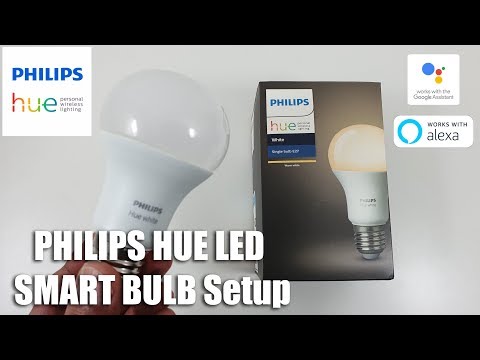
- Philips Hue — The gold standard in smart lighting, offering millions of colors, tunable white, and seamless Alexa integration through a dedicated Hue Bridge.
- Wyze Bulb — An affordable Wi-Fi option that supports color-changing and tunable white with no hub required.
- TP-Link Kasa — Known for reliability and competitive pricing, Kasa smart bulbs offer RGB, tunable white, and dimmable options.
- LIFX — Premium Wi-Fi bulbs with rich colors and no hub dependency, though they consume slightly more power.
- Sengled — Budget-friendly bulbs with solid Alexa support and a range of form factors, including candelabra and floodlight styles.
- IKEA TRÅDFRI — Affordable and functional, requiring the IKEA Dirigera hub for full Alexa compatibility.
Creating the Perfect Lighting Scenes with Alexa Routines
One of the most compelling reasons to pair Alexa with smart lights is the ability to create lighting scenes and automated routines. A scene is a preset combination of settings — brightness, color, and on/off status — that you can activate with a single voice command or a tap. Routines take this further by triggering actions based on time, location, or sensor input.
Here are some practical scene ideas to get you started:
- “Good Morning” routine — At 7:00 AM, gradually brighten bedroom lights to 100% warm white over 15 minutes, simulating a natural sunrise.
- “Movie Night” scene — Dim living room lights to 10% with a warm amber tone and turn off overhead fixtures with one command.
- “Away Mode” routine — When you arm your security system, Alexa randomizes light schedules across the house to simulate occupancy.
- “Wind Down” routine — At 9:30 PM, shift all lights to a dim, warm setting and gradually reduce brightness over 30 minutes.
Using Groups and Rooms for Efficient Control
Alexa lets you organize smart lights into groups and rooms within the Alexa app. This means you can say “Alexa, turn off the living room” and every connected light in that space shuts off simultaneously. You can also create custom groups like “Upstairs Lights” or “Exterior Garden” to control non-contiguous devices with a single command.
Advanced tip: Use Alexa voice profiles to assign different lighting preferences to different household members. You can set up routines that recognize who is speaking and adjust lights accordingly — for example, a child’s bedroom lights dimming earlier than an adult’s.
Advanced Alexa Light Control Tips and Tricks
Once you have your smart lights set up, there are several advanced techniques that elevate your experience from basic to exceptional.
- Use dimming with precision. Say “Alexa, set the kitchen lights to 40 percent” for exact brightness control. You can also use relative commands like “Alexa, dim the lights by 20 percent.”
- Sync lights with music. If you use Alexa-enabled Echo speakers with built-in lights, you can synchronize color changes to the rhythm of your music for an immersive party atmosphere.
- Integrate with other smart devices. Pair your smart lights with motion sensors like the Aqara Motion Sensor or Amazon Echo motion detection. Your lights can turn on automatically when someone enters a room and turn off when the room is empty.
- Use third-party routines with IFTTT. The IFTTT (If This Then That) platform allows you to create cross-platform automations, such as triggering Alexa lighting scenes based on weather data, calendar events, or social media notifications.
- Set up follow-up mode. Enable follow-up mode on Alexa so you can chain multiple lighting commands without repeating the wake word. For example: “Alexa, set the bedroom to 50 percent. Make it warmer.”
Alexa vs. Other Voice Assistants for Smart Lighting Control

While Alexa dominates the smart home space, it is worth understanding how it compares to other voice assistants for lighting control. Here is a side-by-side comparison:
| Feature | Alexa (Amazon) | Google Assistant | Apple Siri |
| Smart light compatibility | Extensive — 100,000+ devices | Very broad — most major brands | Limited to HomeKit-certified devices |
| Hub requirement | Some brands need a bridge (Hue) | Some brands need a bridge | Requires HomePod or Apple TV hub |
| Routine automation | Highly customizable routines | Good routines with Google Home | Scenes and automations in Home app |
| Voice recognition accuracy | Excellent, supports up to 6 profiles | Excellent, supports multiple users | Good with Voice ID on HomePod |
| Color control depth | Full RGB and tunable white support | Full RGB and tunable white support | Limited to HomeKit-compatible color range |
| Cross-platform integration | Strong, works with most ecosystems | Strong, deep Nest integration | Best within Apple ecosystem only |
For most users building a multi-brand smart home, Alexa offers the widest compatibility and most robust routine builder. Google Assistant is a strong alternative if you are already invested in the Google ecosystem. Apple Siri shines if your home is built entirely around HomeKit accessories, though the device selection is narrower.
Common Troubleshooting Issues with Alexa and Smart Lights
Even the best setups occasionally run into hiccups. Here are the most common issues and their solutions:
- Alexa cannot find my smart light. Make sure the bulb is powered on, connected to Wi-Fi, and the correct skill is enabled in the Alexa app. Try “Discover Devices” again.
- Voice commands are not responding. Check that your Alexa device and smart light are on the same Wi-Fi network. Some smart lights use a 2.4 GHz band exclusively — ensure your router is not separating bands.
- Lights respond slowly. Cloud-to-cloud integrations introduce a slight delay. Using a hub-based system like Philips Hue reduces latency significantly because the hub processes commands locally.
- Colors appear different than expected. Color rendering varies by bulb. High-CRI (Color Rendering Index) bulbs like Philips Hue produce more accurate and vivid colors than budget alternatives.
- Routine does not trigger at the scheduled time. Verify that the routine has the correct trigger condition and that the Alexa device has an active internet connection at the scheduled time.
Final Thoughts on Building Your Alexa Smart Lighting Setup
The combination of Alexa and smart lights represents one of the most accessible and impactful entry points into home automation. Whether you start with a single smart bulb in the hallway or build an entire-house system with Philips Hue, the flexibility and convenience are undeniable. Start small, experiment with routines, and expand your setup as you become comfortable with the technology. The key is to choose reliable, Alexa-compatible devices, name them clearly, and invest time in building routines that genuinely improve your daily life.
With the tips and strategies outlined in this guide, you are well-equipped to create a smart lighting environment that is responsive, personalized, and truly transformative. Welcome to the future of home illumination.
Frequently Asked Questions
Can I control Alexa smart lights without an internet connection?
Most Alexa smart lights require an internet connection because commands are processed through the cloud. However, some hub-based systems like Philips Hue allow local control through the Hue Bridge, which can maintain basic on/off functionality even during an internet outage. For full features like color changes and routines, a stable Wi-Fi connection is essential.
How many smart lights can I connect to Alexa at once?
Alexa supports connecting thousands of smart home devices, including smart lights, on a single account. In practice, you can group hundreds of lights into rooms and groups. There is no practical limit for typical households, though performance may vary depending on your Wi-Fi network stability and the number of devices competing for bandwidth.
Do Alexa smart lights work without a hub?
Some smart lights connect directly to Wi-Fi and do not require a hub, such as Wyze Bulb, TP-Link Kasa, and LIFX. Others, like Philips Hue and IKEA TRÅDFRI, require a dedicated bridge or hub to function. Hub-based systems typically offer better range, lower latency, and support for more devices than direct Wi-Fi bulbs.
Can I use Alexa to schedule my smart lights to turn on and off automatically?
Yes, Alexa routines allow you to schedule smart lights to turn on or off at specific times, adjust brightness gradually, or respond to sunrise and sunset times. You can also use the “Sunrise” and “Sunset” triggers within routines to automate lighting based on your local time zone, making daily lighting transitions feel natural and effortless.
What is the difference between tunable white and RGB smart lights?
Tunable white smart lights can adjust between warm and cool white temperatures, typically ranging from 2700K (warm amber) to 6500K (cool daylight). RGB smart lights add red, green, and blue color channels, allowing millions of color combinations. Some bulbs offer both features, known as RGBW or RGBWW, giving you full color and tunable white capabilities in a single bulb.