


If you have ever walked into a room and wished you could change the ambiance with just your voice, Alexa smart lights are the answer. These intelligent lighting solutions have transformed how millions of households control illumination, turning ordinary bulbs into responsive, customizable fixtures that sync with your daily routine. Whether you are a tech enthusiast exploring smart home lighting systems for the first time or someone looking to upgrade an existing setup, understanding what Alexa-compatible lights can do—and how to get the most out of them—is essential. This guide covers everything from beginner setup steps to advanced automation techniques, giving you the full picture on why smart lights with Alexa deserve a place in your home.
What Are Alexa Smart Lights and How Do They Work
Alexa smart lights are Wi-Fi or Zigbee-connected LED bulbs, strips, and fixtures that respond to voice commands through Amazon’s Alexa voice assistant. Unlike traditional switches, these devices connect to your home network and integrate with the Alexa app, allowing you to adjust brightness, color temperature, and even millions of colors using nothing more than your voice or a smartphone tap. The technology behind them relies on protocols like Zigbee, Z-Wave, and Wi-Fi, with some models supporting Matter, the new cross-platform smart home standard that is reshaping how connected devices communicate. When you say something like “Alexa, set the living room lights to 50 percent,” Alexa processes your command through Amazon’s cloud servers, translates it into the appropriate protocol signal, and sends it to your smart bulb—often in under a second.
What makes these lights genuinely powerful is not just voice control but the ecosystem they plug into. You can group multiple Alexa-compatible light bulbs into rooms, create custom scenes like “Movie Night” or “Wake Up,” and schedule automations based on time of day, sunrise, sunset, or sensor triggers. This layer of intelligence is what separates a basic smart bulb from a truly connected lighting experience.
Top Benefits of Using Alexa Smart Lights
Switching to voice-controlled smart lighting delivers tangible advantages that go well beyond novelty. Here is why homeowners are making the switch:
- Hands-Free Convenience: Control lights from across the room—or the entire house—without lifting a finger. This is especially valuable when your hands are full or when you are settling into bed.
- Energy Efficiency: Smart LEDs use significantly less power than incandescent bulbs, and scheduling features ensure lights are never left on unnecessarily. Many users report 10 to 20 percent reductions in lighting electricity costs.
- Customizable Ambiance: Adjust color temperature from warm 2200K candlelight to cool 6500K daylight, or shift through 16 million colors for parties, relaxation, or focused work sessions.
- Security Integration: Program lights to turn on and off at random intervals when you are away, simulating occupancy and deterring intruders.
- Accessibility: For individuals with mobility challenges, voice-activated lighting removes dependency on physical switches, making homes more navigable and independent.
- Scalability: Start with a single bulb in one room and expand gradually. Alexa smart lights work seamlessly whether you have five or fifty connected devices.
How to Set Up Alexa Smart Lights
Getting started with Alexa smart home lighting is straightforward, even for those who are not particularly tech-savvy. Below is a breakdown of what you need and how to connect everything.
Compatible Devices and Brands
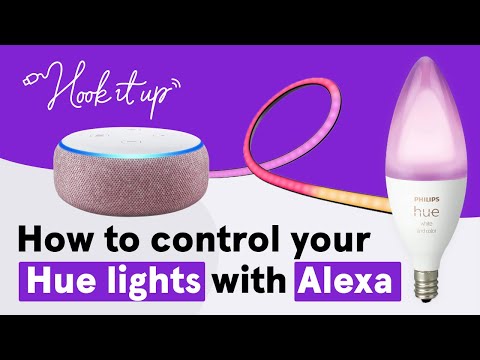
Before purchasing, verify compatibility with Alexa. The most popular brands that offer Alexa-enabled smart bulbs include Philips Hue, LIFX, TP-Link Kasa, Wyze Bulb, Sengled, Eve, and GE Cync. When shopping, look for the “Works with Alexa” badge on the product packaging or listing. Zigbee-based bulbs like Philips Hue typically require an Alexa-enabled Echo device with a built-in Zigbee hub (such as the Echo Plus or Echo Show 10), while Wi-Fi bulbs connect directly to your router and do not need a separate hub.
Step-by-Step Setup Process
- Download the Alexa App: Install the free Amazon Alexa app on your iOS or Android device and sign in to your Amazon account.
- Purchase and Install Your Bulbs: Screw in the smart bulb, turn on the wall switch, and wait for the bulb to power up in pairing mode. Refer to the manufacturer’s instructions for specific bulb-indicator behaviors.
- Navigate to Devices: Open the Alexa app, tap “Devices” at the bottom, then select the “+” icon and choose “Add Device.”
- Select the Light Type: Choose “Light” and then select your brand from the list. Follow the on-screen prompts to connect the bulb to your Wi-Fi network or pair it via Zigbee.
- Assign a Room: Name each light and assign it to a room (e.g., “Bedroom,” “Kitchen”) so that voice commands like “Alexa, turn off the bedroom lights” work correctly.
- Test and Group: Say a test command, then group lights into rooms and create custom lighting scenes for maximum convenience.
Best Alexa Smart Lights to Buy in 2024
Not all smart Alexa lights are created equal. The table below compares leading options based on key factors that matter most to consumers.
| Brand & Model | Connectivity | Color Options | Hub Required | Price Range |
| Philips Hue White & Color Ambiance | Zigbee + Wi-Fi Bridge | 16 million colors | Yes (Hue Bridge) | $50–$70 per bulb |
| TP-Link Kasa KL110 | Wi-Fi Direct | White only (2700K–6500K) | No | $12–$15 per bulb |
| Wyze Bulb Color | Wi-Fi Direct | 16 million colors | No | $8–$10 per bulb |
| LIFX A19 | Wi-Fi Direct (no hub) | 16 million colors | No | $50–$65 per bulb |
| GE Cync Color | Wi-Fi + Zigbee | 16 million colors | Optional (Echo hub) | $10–$20 per bulb |
For budget-conscious buyers, TP-Link Kasa and Wyze Bulb Color offer exceptional value without requiring a hub. For those who want the most polished experience with deep integration and reliability, Philips Hue remains the gold standard in the smart lighting space. If you want high-quality color without paying for a bridge, LIFX is an excellent choice, though it does draw slightly more power due to its higher-quality LED components.
Advanced Tips and Expert Recommendations
Once your Alexa smart lights are up and running, you can unlock a much deeper level of functionality with a few expert strategies.

1. Create Routines for Seamless Automation. Alexa Routines let you chain multiple actions into a single trigger. For example, create a “Good Morning” routine that gradually dims the bedroom lights from warm orange to bright white over 15 minutes, simultaneously turning on a smart coffee maker and reading the day’s weather forecast. This type of smart home automation transforms disconnected devices into a cohesive living experience.
2. Use Color Temperature to Support Your Circadian Rhythm. Research consistently shows that exposure to warm, low-color-temperature light in the evening supports melatonin production and better sleep. Program your Alexa lighting scenes to shift automatically throughout the day—cool and bright during morning and afternoon work hours, warm and dim in the evening hours.
3. Set Up Voice Groups for Multi-Room Control. Instead of naming every individual bulb, create a “Downstairs Lights” group so you can say “Alexa, turn off downstairs” and have every connected fixture downstairs respond simultaneously. This is especially useful in larger homes.
4. Explore Third-Party Skill Integrations. Skills like IFTTT and SmartThings extend Alexa smart light capabilities even further. You can set triggers based on weather data (lights turn on when rain is detected), calendar events (lights flash when a meeting starts), or even fitness tracker data (lights dim when your sleep tracker detects you are falling asleep).
5. Secure Your Smart Lighting Network. Keep your Wi-Fi network password strong, enable two-factor authentication on your Amazon account, and regularly update your Echo devices and smart bulbs through the Alexa app to patch any security vulnerabilities.
Frequently Asked Questions
Can Alexa smart lights work without Wi-Fi? Most Alexa smart lights require a Wi-Fi connection for initial setup and cloud-based voice processing. However, once configured, some Zigbee-based systems like Philips Hue can continue operating through their local hub even if your internet goes down, as long as the Echo device on the same Zigbee network is still powered on. Wi-Fi-only bulbs will typically stop responding if the internet connection drops.
What is the difference between Alexa smart lights and regular smart bulbs? The key distinction is the level of Alexa integration. All Alexa smart lights are smart bulbs, but not all smart bulbs work seamlessly with Alexa out of the box. Alexa-compatible models are specifically tested and certified to respond to voice commands, routines, and group controls without requiring complex workarounds or third-party bridges.
Do Alexa smart lights use a lot of electricity? No. Smart LED bulbs are among the most energy-efficient lighting options available. A typical Alexa smart LED bulb consumes between 7 and 10 watts, compared to 60 watts for a traditional incandescent bulb. The smart connectivity chip adds minimal power draw—usually less than one watt—meaning the energy savings compared to older lighting technologies are substantial and noticeable on your monthly electricity bill.
Can I use Alexa smart lights with other voice assistants like Google Assistant or Siri? Yes, many Alexa smart lights are dual-compatible. Brands like Philips Hue, TP-Link, and LIFX support multiple voice platforms simultaneously. You can link the same bulb to Alexa, Google Home, and Apple HomeKit, giving you flexibility to switch between voice assistants without buying duplicate hardware.
Are Alexa smart lights difficult to uninstall or switch to a different system? Not at all. Removing an Alexa smart light from the app takes seconds—simply select the device, tap “Remove Device,” and it disappears from your configuration. If you switch ecosystems, most smart bulbs can be re-paired with Google Home or Apple HomeKit using their respective apps, preserving your hardware investment.
What should I look for when buying Alexa smart lights for a large home? Prioritize Zigbee-based systems with a dedicated hub, as they handle large numbers of connected devices more reliably than Wi-Fi-only bulbs, which can overload your router. Also consider whether the brand offers a starter kit with a hub included, as this is often more cost-effective than buying bulbs and hubs separately.
Final Thoughts
Alexa smart lights represent one of the most accessible and impactful entry points into the smart home ecosystem. They deliver immediate value—better convenience, lower energy bills, and a more personalized living environment—without requiring technical expertise to get started. As the technology continues to mature with Matter protocol support and deeper AI-driven automation, the gap between a basic smart bulb and a truly intelligent lighting system is shrinking rapidly. Whether you are replacing a single bedside lamp or outfitting an entire home with color-changing Alexa smart bulbs, the foundation you build today will scale beautifully as new features and devices enter the market. Start small, experiment with routines and scenes, and let your lighting evolve alongside your smart home journey.