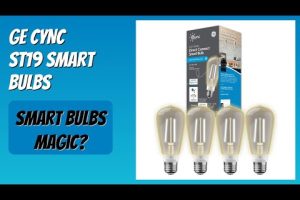
When it comes to upgrading your home lighting with smart, connected technology, GE Cync bulbs have emerged as one of the most compelling choices for consumers who want reliability, versatility, and seamless smart home integration. Whether you are just starting your journey into smart lighting or you are a seasoned home automation enthusiast, these LED bulbs deliver a blend of performance, design, and ecosystem compatibility that is hard to beat. In this comprehensive guide, we will explore everything you need to know about GE Cync bulbs, from their core features and smart home compatibility to setup tips, comparisons, and expert recommendations. If you have been searching for the best smart bulbs on the market, this article is your complete resource.
What Are GE Cync Bulbs?
GE Cync bulbs are a line of smart LED bulbs developed under the GE Lighting brand, engineered to work with major smart home ecosystems including Amazon Alexa, Google Assistant, and Apple HomeKit. Unlike traditional incandescent or standard LED bulbs, GE Cync bulbs connect to your home Wi-Fi network or a hub-based system, allowing you to control brightness, color temperature, and even millions of colors directly from your smartphone or through voice commands. These bulbs are designed to replace existing light fixtures effortlessly, offering a plug-and-play experience without requiring electrical rewiring or professional installation. The Cync platform emphasizes simplicity, making smart lighting accessible to beginners while still offering advanced features that power users will appreciate.
Key Features and Technology Behind GE Cync Bulbs
Understanding what makes GE Cync bulbs stand out requires a closer look at the technology driving them. Here are the standout features that set these smart bulbs apart from the competition:
- Wi-Fi Direct Connectivity: Many GE Cync bulbs connect directly to your home Wi-Fi network without needing a separate hub, reducing clutter and simplifying setup.
- Adjustable Color Temperature: Ranging from warm white to daylight, these bulbs let you shift the ambiance of any room to match your mood or time of day.
- Multi-Million Color Options: For color-capable models, you can choose from over 16 million colors, enabling dynamic lighting scenes for entertainment, relaxation, or party settings.
- Dimmable and Fade Controls: Smooth dimming and fade transitions give you precise control over lighting intensity without any harsh flickering.
- Scheduling and Automation: Built-in scheduling allows you to program on/off times, sunset/sunrise routines, and custom scenes that align with your daily habits.
- Voice Assistant Integration: Full compatibility with Alexa, Google Assistant, and Siri means you can control your lighting hands-free from virtually anywhere in your home.
- ENERGY STAR Certified: GE Cync bulbs meet strict energy efficiency standards, consuming significantly less power than traditional bulbs while delivering comparable or superior brightness.
How GE Cync Bulbs Compare to Traditional Lighting
To put the benefits into perspective, a standard 60-watt incandescent bulb produces roughly 800 lumens but consumes far more energy and lasts only about 1,000 hours. A GE Cync LED bulb delivers the same 800 lumens at approximately 9 watts and has an estimated lifespan of 15,000 to 25,000 hours. This translates to roughly 90 percent less energy consumption and a dramatic reduction in replacement frequency. Over time, the energy savings alone can offset the initial purchase cost multiple times over.
Smart Home Compatibility and Ecosystem Integration
One of the most important factors when choosing smart bulbs is ensuring they work with the ecosystem you already use. GE Cync bulbs are built with broad compatibility in mind, supporting three of the most popular voice assistants and smart home platforms.
Amazon Alexa: GE Cync bulbs work seamlessly with Alexa-enabled devices such as Echo speakers and Echo Show displays. You can create routines, group lights by room, and use voice commands like “Alexa, set the living room lights to warm white at 50 percent.”

Google Home: Integration with Google Assistant lets you control your bulbs using the Google Home app or voice commands through Nest Hub and Google Nest Mini devices. You can also link your Cync bulbs into Google Home routines triggered by time, location, or device activity.
Apple HomeKit: For those invested in the Apple ecosystem, select GE Cync models are compatible with Apple HomeKit, allowing Siri voice control, Home app management, and automation scenes directly from your iPhone, iPad, or Mac.
GE Cync App: The dedicated GE Cync app serves as the central control hub for all your smart bulbs. It provides an intuitive interface for managing individual bulbs, creating groups, setting schedules, adjusting colors, and monitoring energy usage in real time.
GE Cync Bulbs vs. Competitors: A Comparison Table
| Feature | GE Cync | Philips Hue | LIFX | Sengled |
| Wi-Fi Direct | Yes (most models) | No (requires hub) | No (Wi-Fi built-in) | Yes (select models) |
| Alexa Compatible | Yes | Yes | Yes | Yes |
| Google Assistant | Yes | Yes | Yes | Yes |
| Apple HomeKit | Select models | Yes | Yes | Select models |
| Hub Required | No | Yes ( Hue Bridge) | No | No |
| Color Options | 16M (color models) | 16M | 16M | Limited (select models) |
| Price Range (per bulb) | $10–$25 | $50–$70 | $50–$65 | $8–$20 |
| Energy Consumption | ~9W (800 lumens) | ~9W (800 lumens) | ~9W (800 lumens) | ~9W (800 lumens) |
| Lifespan | 15,000–25,000 hrs | 25,000 hrs | 25,000 hrs | 15,000–25,000 hrs |
The table above highlights that GE Cync bulbs occupy a compelling middle ground in the smart lighting market. They offer Wi-Fi direct connectivity and strong ecosystem support at a significantly lower price point than premium brands like Philips Hue, while still delivering comparable color quality and brightness levels.
How to Set Up GE Cync Smart Bulbs
Setting up GE Cync bulbs is straightforward, even if you are not particularly tech-savvy. Follow these steps for a smooth installation process:
- Screw in the bulb: Install the GE Cync bulb into any standard E26 screw-in light fixture. Ensure the power switch is turned on.
- Download the GE Cync app: Available on both iOS and Android, the app is your gateway to full bulb control and configuration.
- Create an account: Sign up with your email address and set a secure password within the app.
- Add a new bulb: Navigate to the “Add Device” section, select the bulb type, and follow the on-screen prompts. The app will scan for the bulb as it powers on.
- Connect to Wi-Fi: Enter your home Wi-Fi network credentials when prompted. The bulb will pair with your network automatically.
- Assign the bulb to a room: Name the bulb and assign it to a room for organized control through the app.
- Link to voice assistants: Within the app settings, enable Alexa, Google Home, or Apple HomeKit integration by following the on-screen pairing instructions.
Expert Tip: For the strongest and most stable connection, place your Wi-Fi router within reasonable distance of the bulbs and consider using a mesh Wi-Fi system if you are outfitting a larger home with multiple smart bulbs.
Troubleshooting Common GE Cync Bulb Issues
Even with a simple setup process, you may occasionally encounter issues. Here are the most common problems and their solutions:

- Bulb not showing up in the app: Ensure the bulb is screwed in tightly and the light switch is on. Restart the app and try the discovery process again. If the issue persists, power cycle the bulb by turning the switch off and on three times rapidly.
- Wi-Fi connection drops: Move the bulb closer to your router or check for network interference. Updating the firmware through the app often resolves connectivity issues.
- Voice commands not working: Verify that the voice assistant skill or action is properly enabled and linked to your GE Cync account. Re-linking the account through the respective app usually fixes this.
- Bulb flickering: This is typically caused by a loose bulb or incompatible dimmer switch. Ensure the bulb is seated properly and check whether your fixture uses a smart-compatible dimmer.
Energy Efficiency and Long-Term Cost Savings

Switching to GE Cync LED bulbs is one of the most impactful upgrades you can make for both your energy bill and your environmental footprint. A single GE Cync bulb uses approximately 9 watts to produce 800 lumens, compared to a traditional incandescent bulb that requires 60 watts for the same output. If you replace 20 bulbs in your home, you could save over 1,000 watts of continuous power draw, translating to roughly $100–$150 in annual electricity savings depending on your local rates. Furthermore, the extended lifespan of 15,000 to 25,000 hours means you will be replacing bulbs far less frequently, reducing both cost and waste over time.
Frequently Asked Questions About GE Cync Bulbs
1. Can I use GE Cync bulbs with a regular dimmer switch? GE Cync LED bulbs are designed to work with standard in-wall dimmers, but for the best experience with smooth dimming and color consistency, it is recommended to use smart dimmer switches or rely on app-based and voice-controlled dimming. Mixing smart bulbs with traditional dimmers can sometimes result in inconsistent brightness levels or flickering at the low end of the dimming range.
2. Do GE Cync bulbs require a hub or bridge to function? No. Most GE Cync smart bulbs connect directly to your home Wi-Fi network without the need for a separate hub or bridge. This is one of their most significant advantages compared to systems like Philips Hue, which require the Hue Bridge for full functionality. The direct Wi-Fi connection simplifies installation and reduces the number of devices you need to manage.
3. Are GE Cync bulbs compatible with Apple HomeKit? Select models of GE Cync bulbs are compatible with Apple HomeKit, allowing Siri voice control and integration with the Apple Home app. However, compatibility varies by model and product line, so it is important to check the specific product listing before purchasing if Apple HomeKit support is a priority for you.
4. What is the difference between GE Cync bulbs and standard GE LED bulbs? Standard GE LED bulbs are traditional, non-connected light sources that simply provide energy-efficient illumination. GE Cync bulbs, on the other hand, include built-in Wi-Fi or Bluetooth connectivity, enabling remote control, scheduling, voice commands, and color customization through the GE Cync app and compatible smart home ecosystems.
5. How many GE Cync bulbs can I connect to one Wi-Fi network? Most users can comfortably connect between 20 and 50 GE Cync bulbs on a single home Wi-Fi network, depending on router capacity and network stability. For very large installations, using a mesh Wi-Fi system or a dedicated smart home hub can help manage network load and ensure consistent connectivity across all bulbs.
6. Can I schedule GE Cync bulbs to turn on and off automatically? Absolutely. The GE Cync app includes a robust scheduling feature that allows you to set specific on and off times, create sunrise and sunset routines, and build custom automation scenes. You can also link these schedules to third-party platforms like IFTTT for even more advanced automation possibilities.
Final Thoughts on GE Cync Smart Bulbs
GE Cync bulbs represent an excellent entry point into the world of smart lighting without sacrificing the features and performance that power users demand. With direct Wi-Fi connectivity, broad smart home ecosystem support, millions of color options, and a price point that undercuts many competitors, they deliver outstanding value for the average household. Whether you want to create a relaxing warm glow for movie night, energize your workspace with cool daylight, or set up elaborate automation routines that respond to your daily schedule, GE Cync bulbs provide the tools to transform any room in your home. If you are ready to take the next step toward a smarter, more efficient, and more personalized lighting setup, GE Cync bulbs are a choice you will not regret.