


If you have ever fumbled for a wall switch in the dark just to turn off your ceiling fan and light, you already understand the appeal of a ceiling fan and light remote control. These compact devices transform the way you interact with your living space, offering effortless control over speed settings, lighting modes, and dimming functions from the comfort of your couch or even from across the room. In 2024 and beyond, remote-controlled ceiling fans have moved from a luxury convenience to an essential household feature, especially for homeowners, renters, and smart-home enthusiasts looking to simplify daily routines and elevate room ambiance. This guide covers everything you need to know about selecting, installing, and troubleshooting remote control systems for your ceiling fan and light setup.
What Is a Ceiling Fan and Light Remote Control?
A ceiling fan and light remote control is a wireless handheld device or wall-mounted receiver that allows you to operate your fan’s motor speed and light fixture without touching a physical switch on the wall or the fan body itself. Most modern remotes communicate with a receiver module installed inside the fan’s canopy, translating your button presses into commands that adjust RPM levels, toggle lights on or off, and change color temperatures or brightness settings.
These remotes come in several forms, including factory-installed transmitter-receiver kits, aftermarket universal remote controls, and Wi-Fi or Bluetooth-enabled smart remotes that integrate with platforms like Amazon Alexa, Google Home, or Apple HomeKit. Understanding the differences between these options is the first step toward choosing the right solution for your home.
Types of Ceiling Fan Remote Control Systems
Infrared (IR) Remotes
Infrared remotes use light signals to communicate with the fan’s receiver. They are common in budget-friendly models and basic fan kits. The limitation with IR technology is that it requires a direct line of sight between the remote and the receiver, meaning you must point the remote at the fan or the receiver sensor for it to work.
Radio Frequency (RF) Remotes

Radio frequency remotes use radio waves, typically at 315 MHz or 433 MHz, to send signals through walls, furniture, and other obstacles. This makes them far more convenient than IR remotes because you do not need to point the remote directly at the fan. RF remotes are the most common type found in modern ceiling fan kits, and they typically have a range of 15 to 30 feet.
Smart Wi-Fi and Bluetooth Remotes
Smart remote controls connect to your home’s Wi-Fi network or use Bluetooth Low Energy to communicate with the fan. These systems allow you to control your ceiling fan and light from a smartphone app, create scheduling routines, set scenes, and integrate them into broader smart-home automation ecosystems. Brands like Hunter, Minka-Aire, and Harbor Breeze now offer fans with built-in smart receivers that support voice commands through virtual assistants.
Key Benefits of Using a Remote Control for Your Ceiling Fan and Light
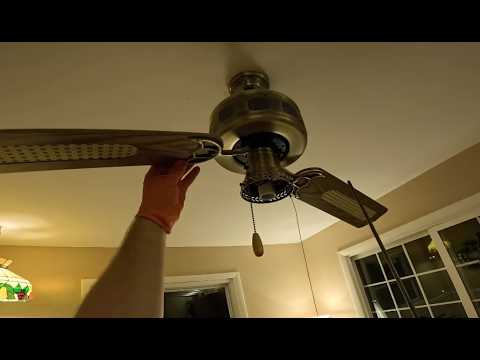
The advantages of switching to a remote-controlled setup extend well beyond simple convenience. Here is why so many homeowners are making the upgrade:
- Hands-Free Operation: Adjust fan speed or dim the lights without getting up, which is especially useful at night or when carrying items.
- Improved Energy Efficiency: Quick access to speed settings encourages more frequent use of lower fan speeds, which consumes less electricity than running a fan at maximum speed continuously.
- Enhanced Comfort: You can fine-tune airflow direction and light warmth to match the time of day, season, or activity.
- Safety: Eliminates the need to climb a ladder or stand on a chair to reach a pull chain or wall switch.
- Aesthetic Cleanliness: A remote setup removes the clutter of pull chains and wall-mounted switches, giving your room a streamlined appearance.
- Smart Home Integration: Wi-Fi-enabled remotes let you automate fan and light routines, contributing to energy savings and enhanced home security when you are away.
How to Choose the Right Remote Control for Your Ceiling Fan
Check Compatibility First
Before purchasing any replacement or upgrade remote, verify compatibility with your fan’s receiver module. Most manufacturers stamp the receiver model number inside the fan’s canopy or on the mounting bracket. If you are buying an aftermarket universal remote, cross-reference the supported brands and models on the packaging or product listing. Using an incompatible remote is the most common reason people experience issues with their ceiling fan remote control not working.
Consider Signal Range and Obstacles
If your fan is installed in a large living room with high ceilings or behind structural walls, an RF remote with a longer range is preferable. For smaller rooms or open floor plans, standard RF remotes typically perform well. If you want whole-home control or remote access when you are not physically present, a smart Wi-Fi remote is the best investment.
Evaluate Lighting Control Features
Not all fan remotes handle lighting the same way. Some offer simple on-off control, while others provide multi-speed dimming, color-temperature adjustment, and even RGB color cycling. If your fan has a light kit with multiple bulbs or a decorative fixture, ensure the remote supports the appropriate dimming protocol and wattage rating.
| Feature | IR Remote | RF Remote | Smart Wi-Fi Remote |
| Line of Sight Required | Yes | No | No |
| Range | 10-15 feet | 15-30 feet | Unlimited (internet) |
| Walls/Obstacles Penetration | Poor | Good | Excellent |
| Smart Home Integration | No | Rare | Yes |
| Typical Price Range | $10-$25 | $15-$40 | $30-$100+ |
| Battery Life | 6-12 months | 6-18 months | N/A (plugs in) |
Installation and Setup Tips
Installing a ceiling fan remote control receiver is a straightforward DIY project if you follow basic electrical safety practices. Always turn off the circuit breaker before starting any work. Most receiver kits come with clear wiring diagrams that connect the receiver between the fan’s power source and the fan motor and light kit.
Here is a quick step-by-step overview of the typical installation process:
- Turn off the circuit breaker and verify power is off using a voltage tester.
- Remove the existing wall switch or disconnect the pull-chain wiring as needed.
- Mount the receiver module inside the fan’s canopy or in a accessible junction box.
- Connect the receiver’s wires to the corresponding fan motor, light kit, and power supply wires following the manufacturer’s diagram.
- Secure all connections with wire nuts and tuck wires neatly into the canopy.
- Restore power and test the remote by pressing each button to confirm fan speeds and light controls respond correctly.
- Program the remote to the receiver if required by holding a pairing button or following a specific button sequence.
Expert Tip: If your remote uses a rolling code technology for security, always follow the exact pairing sequence in the manual. Some remotes require you to press and hold a specific button on both the remote and the receiver simultaneously within a narrow time window.
Troubleshooting Common Remote Control Issues
Even the best ceiling fan remote control setups can occasionally encounter problems. Here are the most frequent issues and their solutions:
- Remote stops working entirely: Replace the batteries first. If the problem persists, check for signal interference from nearby electronics or a neighbor’s remote operating on the same frequency.
- Fan responds but light does not: This usually indicates a wiring issue with the light circuit or a faulty receiver relay for the light channel. Check the receiver’s light wiring connections and verify the light kit is properly seated.
- Remote works intermittently: RF signals can degrade if the receiver antenna is damaged or improperly positioned. Ensure the antenna wire inside the receiver is fully extended and not coiled tightly.
- Buttons on the remote feel unresponsive: Debris or moisture under the rubber keypad can cause poor contact. Clean the contacts gently with isopropyl alcohol and allow the remote to dry completely.
- Remote works from one room but not another: This suggests range limitations or physical barriers. Consider upgrading to an RF remote with a higher output power or a smart Wi-Fi system for broader coverage.
Top-Rated Ceiling Fan Remote Controls to Consider in 2024
When browsing the market, look for remotes that offer multi-speed fan control, adjustable light dimming, and compatibility with your specific fan brand. The Hunter 29375 Remote Control Kit and the Minka Aire MC-1415-DK are popular choices for factory-matched systems. For universal solutions, the Fanimated FS-350 and the Heath Zenith SL-1403-LX are well-reviewed aftermarket options that support a wide range of fan brands and light kits.
For smart-home users, the Hunter Signal 3.0 Wi-Fi Kit and the Casablanca MyHome system provide robust app-based control, scheduling, and voice assistant integration that goes well beyond basic remote functionality.
Final Thoughts and Recommendations
A ceiling fan and light remote control is one of the most impactful upgrades you can make to any room with a ceiling fan. Whether you opt for a simple RF replacement remote, a universal aftermarket kit, or a full smart-home integration, the result is the same: effortless, convenient, and precise control over your comfort environment. Take the time to verify compatibility, follow proper installation procedures, and invest in a quality remote system that matches your lifestyle. The small upfront effort pays dividends in daily comfort and long-term energy savings.
Frequently Asked Questions
Can I add a remote control to a ceiling fan that did not come with one?
Yes, you can retrofit an aftermarket remote control kit to most ceiling fans. You will need to purchase a compatible receiver module and remote transmitter set, then install the receiver inside the fan’s canopy. Ensure the receiver’s wattage rating matches the combined load of your fan motor and light fixture to avoid overheating or malfunction.
Why does my ceiling fan remote control not work after replacing the batteries?
If replacing the batteries does not restore function, the issue is likely signal interference, a damaged receiver, or a lost pairing between the remote and the receiver. Try reprogramming the remote by following the pairing instructions in the manual. If that fails, the receiver module inside the fan may need to be replaced.
How far can a standard RF ceiling fan remote control reach?
Most standard RF remotes have a range of 15 to 30 feet in open space. Walls, metal objects, and large appliances can reduce this range. Smart Wi-Fi remotes do not have a fixed range since they communicate through your home’s internet network, allowing control from anywhere with an internet connection.
Is it safe to install a ceiling fan remote receiver myself?
Installation is safe as long as you turn off the circuit breaker at the panel and use a voltage tester to confirm power is fully disconnected before touching any wires. If you are uncomfortable working with electrical wiring, hire a licensed electrician to handle the installation for you.
Can two different remotes control the same ceiling fan?
Some fan models support multiple receivers with different frequency codes, allowing separate remotes to control the same fan. However, most standard single-receiver setups only pair with one remote. Check your fan’s manual or contact the manufacturer to confirm whether multi-remote support is available for your specific model.
Do smart Wi-Fi remotes work without an internet connection?
Smart remote controls that rely on Wi-Fi typically require an active internet connection to access cloud-based features like app control from outside your home and voice assistant integration. However, most systems retain local control capabilities through Bluetooth or a dedicated hub, allowing basic fan and light operation even if the internet goes down temporarily.